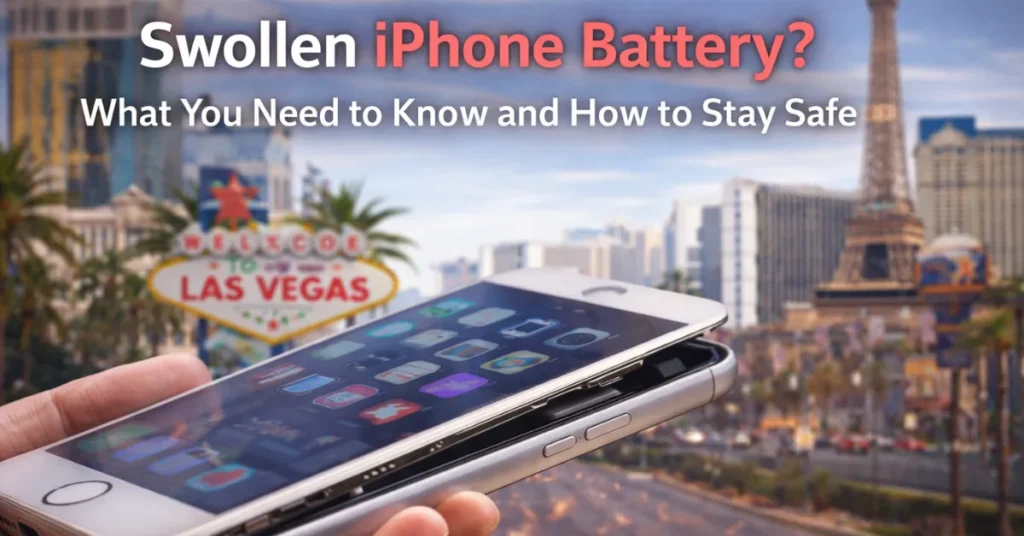
A swollen iPhone battery is a physical manifestation of chemical failure where gas builds up inside the lithium-ion cell. If you notice your screen lifting, a hazy spot on your display, or your phone rocking on a flat surface, stop using the device immediately. Exposure to extreme Las Vegas heat and improper charging practices are the most common causes of an inflated iPhone battery. To ensure safety, do not attempt to squeeze or puncture the device. Instead, power it down and take it to a certified professional for safe removal and hazardous waste disposal.
Now Imagine..
You are sitting at a cafe on the Las Vegas Strip. The sun is beating down on the sidewalk outside. You reach for your phone to check a message and notice something unusual. Your screen appears to be peeling away from the metal frame.
At first, you think the adhesive is simply aging.
Then you notice a slight curve in the display that was not there yesterday. Your heart sinks. You are likely looking at a swollen iPhone battery. This is not just a cosmetic issue. It is a chemical emergency happening in the palm of your hand.
In a city where temperatures regularly climb above 110 degrees, this problem is more common than you might think. But what exactly is going on inside that sleek glass and titanium shell?
And more importantly, are you in any actual danger?
Let us plunge into the science, the symptoms, and the safety protocols you need to know to handle an inflated iPhone battery like a pro.
What is a Swollen iPhone Battery and Why is it Dangerous?
A swollen iPhone battery is caused by the accumulation of flammable gas inside the battery casing due to chemical failure. It is dangerous because internal pressure can cause a fire or an iPhone battery explosion if the pouch is punctured.
The swelling also causes physical damage to the phone by warping the display and damaging the internal logic board.
A swollen iPhone battery occurs when the lithium-ion cells inside your device undergo a chemical malfunction.
These batteries rely on a delicate chemical balance to store and release energy. When that balance is disrupted, gas begins to accumulate as a byproduct of electrolyte decomposition. Because the battery is encased in a sealed pouch, the gas has nowhere to go. It begins to expand, stretching the pouch like a balloon.
The Science Behind the Bulge
Lithium-ion batteries are the gold standard in modern technology because they are lightweight and store a large amount of energy.
However, they are also incredibly sensitive.
Inside the battery, lithium ions move between two electrodes through a liquid electrolyte.
Under normal conditions, this occurs thousands of times over the phone’s lifetime. But if the battery is stressed, the electrolyte can break down and release oxygen and other gases.
It is a safety feature. The pouch is designed to expand to contain the gas rather than letting it vent immediately.
But once that pouch reaches its limit, the risk of a rupture becomes very real.
Common iPhone Battery Swelling Symptoms to Watch For
The most common symptoms of iPhone battery swelling include a screen lifting away from the frame, “ghost touches” where the screen responds without being touched, and a hazy or discoloured spot on the display. You may also notice the back panel bulging or the device feeling unusually soft or “squishy” when pressed.
The scary part about this issue is that it often happens slowly. You might not notice the change at first. By the time the screen is visibly popping out, the battery has likely been failing for weeks.
Knowing the iPhone battery swelling symptoms can help you catch the problem before it destroys your $1,200 device.
Visual and Physical Signs of Trouble
- The Rocking Test: Place your iPhone face down on a perfectly flat table. If the phone wobbles or spins like a top, the battery is likely pushing against the casing.
- The Hazy Spot: When the battery expands, it pushes against the back of the LCD or OLED panel. This pressure often creates a white or rainbow colored “bruise” on the screen.
- Unresponsive Buttons: If your volume buttons or power button suddenly feel stiff or stop clicking, it may be due to the battery’s expansion compressing internal components.
- The Scent of Trouble: If you notice a sweet, metallic, or acetone-like odor coming from your charging port, it indicates leaking electrolyte gas. It indicates that the battery pouch has already been breached.
What Causes an iPhone Battery to Swell?
To understand why an iPhone battery swells, you must consider heat, age, and charging cycles. Excessive heat degrades the battery’s chemical stability, while overcharging or using low-quality, uncertified cables can cause internal shorts. Physical damage from dropping the phone can also compromise the internal membranes that separate the battery layers.
Why does this happen to some phones and not others?
It is rarely just one thing.
Usually, it is a combination of environmental factors and usage habits.
The Las Vegas Heat Factor
If you live in Las Vegas, your phone is already at a disadvantage. Heat is the absolute number one enemy of lithium-ion technology.
When your phone sits in a hot car in a Summerlin parking lot, its internal temperature can reach 100 degrees Fahrenheit or higher.
This extreme heat accelerates electrolyte decomposition. It is essentially cooking the battery from the inside out.
If you want to avoid this, you’d better learn how to preserve battery life on an iPhone.
Aging and Charging Habits
Batteries are like tires on a car: they eventually wear out. Most iPhone batteries are designed to last for about 500 full charge cycles.
As the battery reaches the end of its life, the chemistry becomes less stable. If you keep your phone plugged in 24 hours a day, you are also adding stress.
Modern iPhones have software to prevent overcharging, but the physical heat generated by constant charging can still take a toll over time.
Model Specific Issues: iPhone 13 Battery Swelling and the iPhone 15 Series
Reports of iPhone 13 battery swelling often coincide with the device reaching the three-year mark, which is the typical lifespan for many lithium-ion cells. Meanwhile, iPhone 15 battery-swelling cases are often linked to intense heat generated by high-performance gaming or to titanium frames that dissipate heat differently than older aluminum models.
Not all iPhones age the same way.
We have seen trends in certain models that seem more prone to this issue than others.
The iPhone 13 Cycle
The iPhone 13 was a workhorse, but many of these devices are now reaching their “senior years.” If you have an iPhone 13 that has been your daily driver since 2021, the chemical stability is naturally decreasing.
We see a high volume of these in the shop right now as the original batteries begin to fail.
The iPhone 15 Surprise
The iPhone 15 series brought massive power and new materials. However, some users have reported swelling much earlier than expected.
This is often due to “thermal runaway” during intensive tasks like 4K video recording or playing high-end games in a warm environment. When the processor overheats and the battery discharges rapidly, it creates a “perfect storm” for gas buildup.
Safety Comparison: Healthy vs. Swollen Battery
| Feature | Healthy Battery | Swollen Battery |
| Physical Shape | Flat and firm | Puffy, rounded, or “balloon” like |
| Heat Output | Mild warmth during use | Excessive heat even when idle |
| Device Integrity | The screen sits flush with the frame | Visible gaps or screen lifting |
| Hazard Level | Low | High (Fire and Explosion Risk) |
What to Do if the iPhone Battery is Swollen
If you notice your battery is swollen, power down the device immediately. Unplug it from the wall and do not attempt to charge it again. Place the phone on a non-flammable surface, such as a metal tray or a concrete floor, and keep it away from curtains or papers. Take it to a professional repair shop as soon as possible.
If you have confirmed that your phone is bulging, you need to act quickly but calmly.
The last thing you want to do is panic and make the situation worse.
What NOT to Do
- Do Not Squeeze the Phone: You might be tempted to try to “pop” the screen back into place. Do not do this. You could puncture the battery pouch, leading to an immediate fire.
- Do Not Put It in the Freezer: Some old myths suggest cold helps. In reality, extreme temperature changes can cause the casing to crack or condensation to form inside the phone.
- Do Not Put It in Trash: Throwing a swollen battery in a regular garbage can is a recipe for a garbage truck fire.
Safety First: Can a Swollen iPhone Battery Explode?
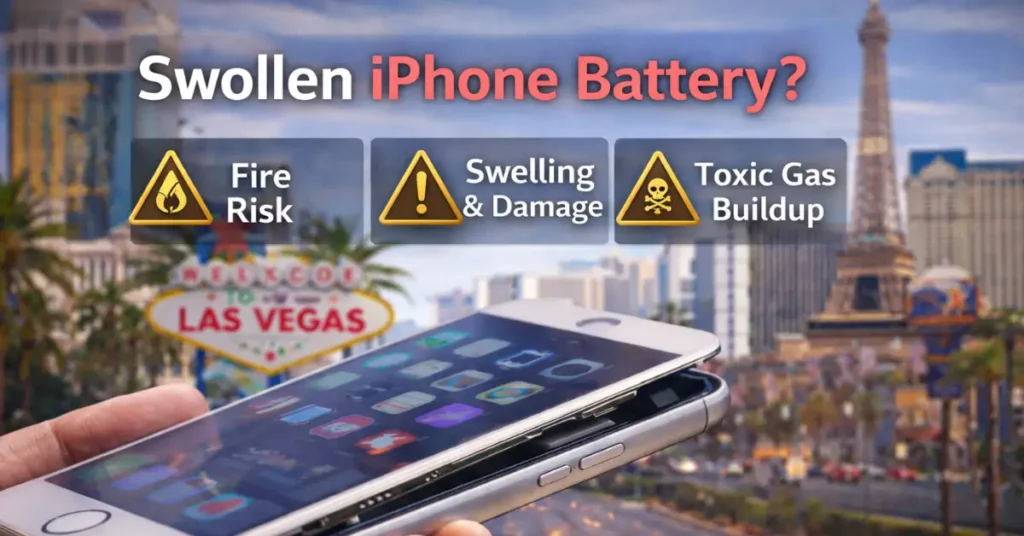
While it is rare, the answer is yes: a swollen iPhone battery can explode or catch fire. If oxygen trapped inside the battery pouch reacts with highly reactive lithium, a spark can trigger a thermal runaway. This results in a self-sustaining fire that is very difficult to extinguish with water.
This is the question that keeps people up at night. Is that thing in your pocket a ticking bomb?
The Risk of an iPhone Battery Explosion
An iPhone battery explosion typically occurs when the battery is physically damaged while already swollen. For example, if you drop a phone with a bulging battery, the impact could tear the pouch.
This is why we tell customers to handle their devices with “kid gloves” once they notice a swell. The gas inside is flammable.
The lithium inside is reactive. Keeping them separate is the only way to keep you safe.
How to Dispose of a Swollen iPhone Battery in Las Vegas
To safely dispose of a swollen iPhone battery in Las Vegas, take it to a specialized hazardous-waste facility or a certified electronics recycler such as Silver Wireless. We have the appropriate fire containment bags to safely handle these volatile components. You can also contact Republic Services for information on their household hazardous waste drop-off days.
You cannot just throw these away. In fact, it is illegal in many jurisdictions to dispose of lithium batteries in the municipal waste stream.
Local Resources in Las Vegas
Silver Wireless: We handle the removal and the recycling for you, so you never have to touch the battery.
How to Prevent an Inflated iPhone Battery in Las Vegas
Prevention is always cheaper than a new screen. If you want to keep your phone slim and safe, you need to change a few habits.
- Avoid the Car Dashboard: Never leave your phone in a parked car in Vegas. Not even for ten minutes.
- Use Certified Cables: Stop buying those three-dollar cables at the gas station. They often lack the chips that regulate power flow.
- Monitor Your Health: Go to Settings > Battery > Battery Health. If your capacity is below 80 percent, your battery is becoming unstable.
- Remove the Case While Charging: If your phone gets hot while charging, remove the case to allow it to breathe.
Don’t Let a Bulge Become a Blast
If you see the signs of a swollen iPhone battery, do not wait. The pressure builds with each second the device is on.
At Silver Wireless, we have the tools and the training to safely open your device, remove the hazard, and get you back to your life.
We serve the entire Las Vegas community with fast, honest, and safe repairs.
Visit Silver Wireless in Las Vegas Today
Is your screen lifting? Does your phone feel hot for no reason? Bring it to us on Charleston Blvd for a free safety check.
Frequently Asked Questions
Yes, it can. The swelling is caused by trapped flammable gas. If the battery is punctured or exposed to high heat, that gas can ignite. While iPhones have many safety layers, a physical rupture of a swollen battery often leads to a fire that is difficult to extinguish.
Immediately turn off the phone. Do not plug it into a charger. Avoid pressing on the screen or the back of the device. Place it in a safe, non-flammable location and take it to a technician experienced in handling hazardous batteries.
Never put it in the regular trash or a standard recycling bin. You must take it to a facility that accepts hazardous waste or “DDR” (Damaged, Defective, or Recalled) batteries. In Las Vegas, shops like Silver Wireless can safely remove the battery and ensure it is sent to a proper recycling center.
Absolutely not. Even a small amount of swelling indicates that the chemical process inside has failed. The swelling will only worsen over time, and the pressure will eventually damage your screen or cause a fire. It is much cheaper to replace a battery than it is to replace a whole phone and a burnt carpet.
If your phone is under warranty or covered by AppleCare+, they usually will. In some cases, if a manufacturing defect is known, they may offer a replacement even out of warranty. However, for most older phones, it is a paid service.