Your iPhone slipped into the sink. Maybe it fell in the toilet. Or perhaps it got caught in the rain. Whatever happened, you’re panicking right now.
Don’t worry, repairing water damage on your iPhone can save your device. But speed matters more than anything else. The faster you act, the better your chances of recovery.
We’ll show you exactly what to do right now and how to pick the right repair option. For professional help, visit Silver Wireless today.
What to Do Right Now: The First Critical Steps
Power off your iPhone immediately and remove the case and SIM tray. These simple actions can save your device.
The moment water touches your iPhone, a clock starts ticking. Your first job is simple: stop electricity from flowing through wet circuits.
Here’s your emergency action plan:
- Turn it off right now. Don’t wait. Just power it down. Hold the power button and slide to power off.
- Remove everything. Take off the case and pop out the SIM tray. Water loves hiding in tight spaces.
- Dry the outside gently. Use a soft cloth. Pat it dry, don’t rub. Pay extra attention to ports and speakers.
- Let it breathe. Place your phone in front of a fan or in a container with silica gel packets. Leave it there for at least 48 hours.
What NOT to Do: Avoid These Common Mistakes
Don’t charge your phone or turn it on for at least 48 hours. Don’t use heat or rice to dry it. Most people make damage worse by trying to “help” too quickly.
Never charge it. Water and electricity are a terrible combination. Plugging in a wet phone can fry the logic board instantly. Wait the full 48 hours.
Don’t use heat. Hair dryers and ovens seem like good ideas. They’re not. Heat melts adhesives and damages delicate internal parts.
Rather using heat is one of the techniques to remove a tempered glass screen protector from your phone.
Skip the rice trick. Rice doesn’t pull moisture out effectively. Worse, the starch particles and dust get inside your phone and cause more problems. Use silica gel instead.
How to Tell If Your iPhone Has Water Damage
Check the Liquid Contact Indicator (LCI) in your SIM tray area. It turns red or pink when exposed to water.
Every iPhone has tiny sensors called Liquid Contact Indicators. These strips change color when they get wet.
Find your SIM tray on the side of your iPhone. Remove it and look inside with a flashlight. If the small dot is white or silver, you’re lucky; no water got in. If it’s red or pink, water has reached inside.
Other warning signs include:
- Strange sounds. Your speakers sound muffled or crackly.
- Charging problems. The port looks rusty or won’t charge properly, likely the iPhone charging port is damaged.
- The battery acts weird. Your phone dies super fast or shuts off randomly. Sudden shutdowns or fast battery drain are common, and practical tips on preserving battery life on iPhone can help manage performance issues while you evaluate the damage.
Your Repair Options: Apple vs Third-Party Shops
Apple offers guaranteed quality but at a higher cost. Third-party shops like Silver Wireless specialize in water damage repair and cost less.
When it’s time to fix water-damaged iPhone devices, you have two main choices.
Apple Service
Apple stores use genuine parts and certified technicians.
However, water damage isn’t covered by your standard warranty. Apple usually replaces your entire device for $300 to $600+, depending on your model.
The one exception: AppleCare+. If you have this coverage, replacement costs drop to around $99.
Third-Party Repair Shops
Specialist shops like Silver Wireless focus on actually fixing your device.
They perform component-level repairs, cleaning and fixing individual parts rather than swapping everything.
These shops excel at logic board repair, the most critical part of saving a water-damaged phone. They use ultrasonic cleaners to remove corrosion. Many can save phones that Apple would replace.
The advantages? Usually faster service (often same-day), cheaper costs ($99-$300 typically), and higher success rates for data recovery.
Making Your Decision: What Should You Choose?
If you have AppleCare+, use Apple. Without it, a quality third-party shop saves money and often saves more data.
Your best path depends on warranty status, device value, and what matters most.
| Factor | Apple Service | Third-Party (Fix My Phone) |
| Cost | $300-$600+ (or $99 with AppleCare+) | $99-$300 |
| Speed | 3-7 days | Same day to 48 hours |
| Data Recovery | Often lost (device replacement) | Higher success rate |
| Warranty | 90 days on replacement | 90 days on repaired parts |
For most people without AppleCare+, third-party repair makes more financial sense.
What Happens During Professional Water Damage Repair
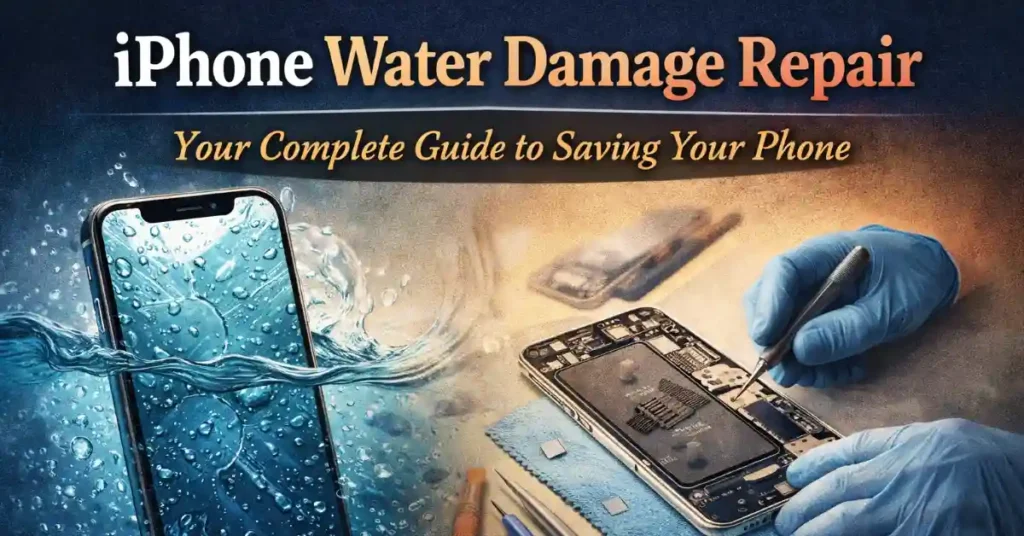
Technicians disassemble your phone, clean corrosion with special equipment, replace damaged parts, and test everything.
Understanding the process helps you know what you’re paying for when you fix wet iPhone devices.
Step 1: Inspection. The technician opens your phone and checks every component for corrosion or damage.
Step 2: Ultrasonic cleaning. This equipment uses sound waves to scrub away corrosion from circuit boards without causing damage.
Step 3: Component replacement. Damaged parts get swapped out. Common replacements include the battery, charging port, and speakers.
Step 4: Testing. Before closing everything up, technicians test every function: screen, cameras, buttons, speakers, and charging.
Saving Your Data: The Most Important Part
Back up to iCloud regularly. If you haven’t, logic board repair offers the best chance of data recovery.
Your phone costs money, but your data is priceless. Those photos and contacts can’t be replaced.
Check your iCloud backup right now. Go to Settings > [Your Name] > iCloud > iCloud Backup. If it’s recent, your data is safe even if your phone dies.
No recent backup? Logic board repair is key. Your data lives on the logic board. If a repair shop can clean and fix this board, they can extract your data even if the phone isn’t fully repairable.
Don’t power it on yourself if you have no backup. Let professionals handle the first power-up attempt.
Myths About Water Damage: What’s True and What’s Not
Rice doesn’t fix water damage. Warranty doesn’t cover it.
Myth 1: Rice fixes water damage. No, it doesn’t. Rice can’t pull moisture out effectively. The starch particles and dust from rice get into your phone and cause additional problems.
Myth 2: Water damage is covered by warranty. Unfortunately, no. Apple’s standard warranty explicitly excludes liquid damage. Only AppleCare+ provides affordable coverage for accidental damage.
Your Action Plan: What to Do Next
Turn off your phone now. Dry it gently. Wait 48 hours. Then choose a repair shop based on your warranty status.
Here’s your decision guide:
Have AppleCare+? Contact Apple. Your $99 replacement is the best deal.
No AppleCare+ and severe damage? Choose a reputable third-party shop specializing in logic board repair. Silver Wireless offers same-day service starting at $99 with 90-day warranties.
Not sure how bad it is? Get a free diagnostic. Most repair shops check your phone for free.
The most important thing: act quickly. Corrosion spreads with time.
Water damage doesn’t have to mean the end of your iPhone.
Quick action, smart drying techniques, and choosing the right repair option can save your device and data. Skip the rice, avoid heat, and don’t power it on too soon.
Whether you choose Apple or a specialist like Fix My Phone depends on your warranty coverage and budget.
Time is critical; make your decision today and get your iPhone with water damage back to life.
Commonly Asked Questions
Ans- Yes, most iPhones with water damage can be repaired through professional cleaning, component replacement, and logic board repair.
Ans- Water damage repair typically costs between $99 to $300 at third-party shops, while Apple charges $300 to $600+ for out-of-warranty replacements.
Ans- Yes, even fully submerged iPhones can often be repaired if you act quickly and seek professional help within 24-48 hours.
Ans- Check the Liquid Contact Indicator (LCI) in your SIM tray—it turns red or pink when wet, and look for signs like muffled speakers, charging issues, or rapid battery drain.